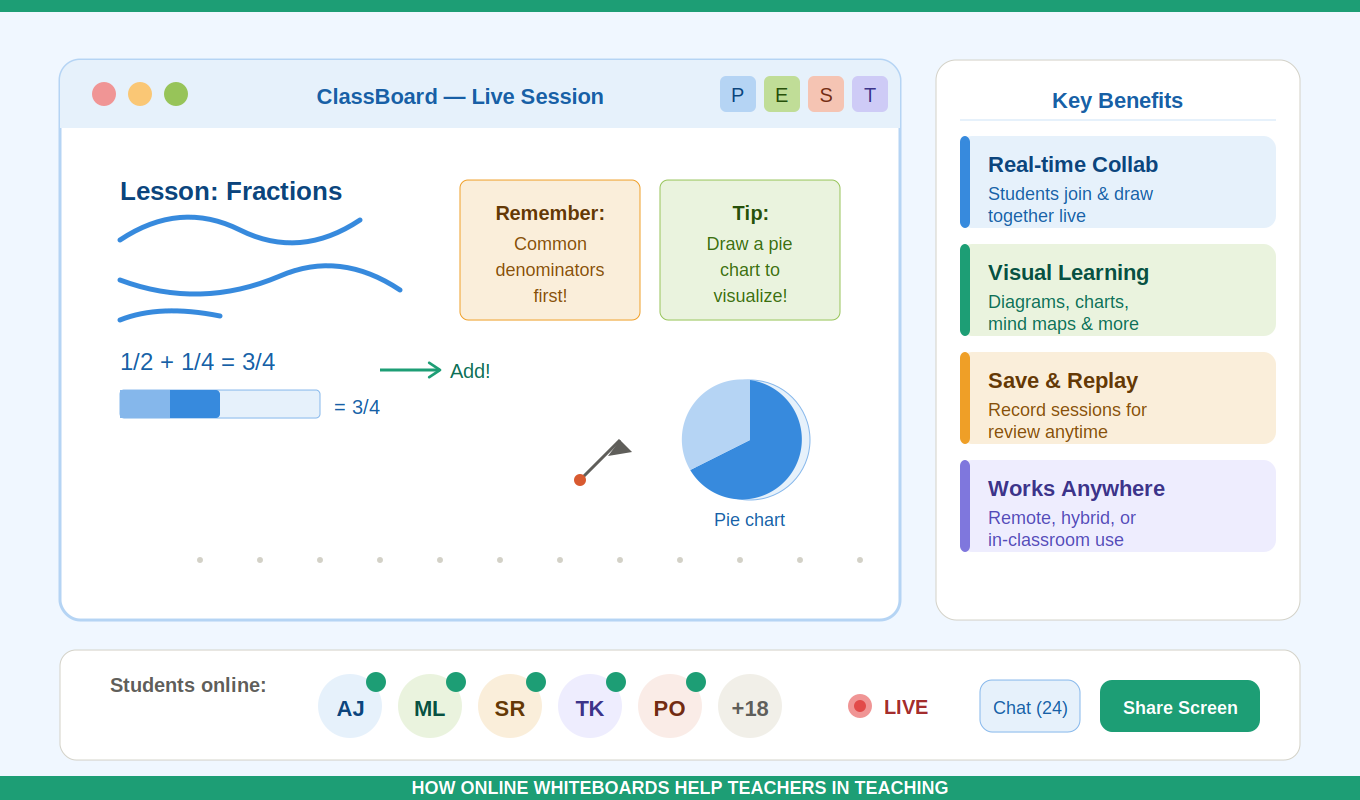
In today’s digital-first education environment, the online whiteboard has become one of the most powerful tools for teachers. Whether teaching in physical classrooms, hybrid setups, or fully remote learning environments, an online whiteboard helps educators explain concepts visually, collaborate with students in real time, and make lessons more interactive.
This guide explores how online whiteboards help teachers in teaching, their benefits, practical classroom use cases, and why they are becoming essential in modern education.
If you are searching for the best way to improve engagement, simplify explanations, and make lessons more dynamic, understanding the role of the online whiteboard is essential.
What Is an Online Whiteboard?
An online whiteboard is a digital canvas that allows teachers and students to draw, write, annotate, and collaborate in real time using a web browser or app. It works like a traditional classroom whiteboard but with significantly more flexibility and functionality.
Unlike physical boards, an online whiteboard allows:
- Real-time collaboration with students
- Multimedia integration (images, PDFs, videos)
- Remote access from anywhere
- Saving and sharing of lesson content
- Interactive learning activities
This makes it a core tool in modern EdTech classrooms.
Why Online Whiteboards Are Transforming Teaching
Education has shifted significantly toward digital learning, and the online whiteboard is at the center of this transformation.
Teachers now need tools that:
- Improve engagement
- Support hybrid classrooms
- Simplify complex explanations
- Enable collaboration
The online whiteboard solves all of these needs in one platform.
Key Benefits of Online Whiteboards for Teachers
1. Makes Lessons More Interactive
Traditional teaching often involves one-way communication. With an online whiteboard, students can actively participate by:
- Solving problems live on the board
- Answering questions visually
- Contributing ideas in real time
This improves attention and retention significantly.
2. Simplifies Complex Concepts
Subjects like math, science, and geometry often require step-by-step explanations.
Using an online whiteboard, teachers can:
- Draw diagrams instantly
- Break down equations step-by-step
- Highlight key points visually
- Animate thought processes in real time
This makes abstract topics easier to understand.
3. Enhances Remote and Hybrid Learning
One of the biggest advantages of an online whiteboard is its ability to support remote classrooms.
Teachers can:
- Conduct live classes from anywhere
- Share screens and boards instantly
- Allow students to collaborate remotely
- Save and reuse lesson materials
This is especially important in modern hybrid education systems.
4. Encourages Student Collaboration
An online whiteboard allows multiple students to work together simultaneously.
Examples include:
- Group brainstorming sessions
- Problem-solving activities
- Interactive quizzes
- Mind mapping exercises
This builds teamwork and communication skills.
5. Saves and Reuses Teaching Material
Unlike traditional whiteboards that are erased after class, an online whiteboard allows teachers to:
- Save entire lessons
- Reuse diagrams and notes
- Share materials with absent students
- Build a digital library of teaching content
This significantly improves teaching efficiency over time.
6. Increases Classroom Engagement
Students are more engaged when lessons are visual and interactive. Online whiteboards support:
- Colors and shapes
- Drag-and-drop elements
- Interactive annotations
- Multimedia integration
This keeps students focused for longer periods.
Practical Use Cases of Online Whiteboards in Teaching
📘 Teaching Mathematics
Teachers can:
- Solve equations step-by-step
- Draw graphs and shapes
- Highlight formulas visually
🔬 Teaching Science
Online whiteboards help in:
- Drawing biological diagrams
- Explaining chemical reactions
- Mapping physics concepts
📖 Teaching Language Arts
Teachers can:
- Brainstorm essays
- Analyze sentences
- Create story maps
🌍 Social Studies
Use online whiteboards for:
- Timeline creation
- Map labeling
- Historical event breakdowns
🧠 Brainstorming Sessions
Teachers can encourage students to:
- Share ideas visually
- Organize concepts
- Build mind maps collaboratively
Online Whiteboard vs Traditional Whiteboard
| Feature | Online Whiteboard | Traditional Whiteboard |
|---|---|---|
| Collaboration | Real-time multi-user | Single user |
| Storage | Saved digitally | Not saved |
| Accessibility | Anywhere, anytime | Physical classroom only |
| Multimedia | Supports images/videos | Not supported |
| Reusability | High | None |
The comparison clearly shows why the online whiteboard is becoming standard in modern education.
How Teachers Can Use Online Whiteboards Effectively
1. Start Every Lesson Visually
Begin with diagrams or outlines to capture attention.
2. Encourage Student Participation
Let students write or draw directly on the board.
3. Break Lessons into Sections
Use different board areas for structured teaching.
4. Save and Share Lessons
Provide students with access after class for revision.
5. Combine With Other Tools
Integrate quizzes, videos, and grading tools for better engagement.
Features to Look for in a Good Online Whiteboard
When choosing an online whiteboard, teachers should consider:
- Ease of use
- Real-time collaboration
- Mobile compatibility
- Saving and exporting options
- Integration with classroom tools like Essay Grader, Magic School and Clever School
- Drawing and annotation tools
A good whiteboard should feel as natural as a physical board but far more powerful.
The Future of Online Whiteboards in Education
The role of the online whiteboard is expected to grow as education becomes more digital.
Future trends include:
- AI-assisted lesson creation
- Automatic diagram generation
- Smart student interaction tracking
- Integration with LMS platforms
- Voice-to-board transcription
This will make teaching even more efficient and personalized.
Frequently Asked Questions (FAQ)
What is an online whiteboard used for in teaching?
An online whiteboard is used to visually explain concepts, collaborate with students, and conduct interactive lessons in both physical and virtual classrooms.
Is an online whiteboard better than a traditional whiteboard?
Yes, because it allows saving lessons, remote collaboration, multimedia use, and real-time interaction, which traditional whiteboards cannot support.
Can students use an online whiteboard?
Yes, students can actively participate by writing, drawing, or contributing ideas in real time, depending on the platform permissions.
Do online whiteboards work for remote learning?
Yes, they are widely used in remote and hybrid learning environments because they allow real-time interaction between teachers and students.
Are online whiteboards free?
Many online whiteboards offer free versions with basic features, while advanced collaboration tools may require paid plans.
What subjects benefit most from online whiteboards?
Subjects like mathematics, science, language arts, and social studies benefit greatly due to their visual and interactive nature.
Do teachers need training to use online whiteboards?
Most online whiteboards are designed to be intuitive and require minimal training. Teachers can start using them immediately.
Conclusion
The online whiteboard has transformed modern teaching by making lessons more interactive, visual, and collaborative. It bridges the gap between traditional classroom teaching and digital learning environments.
Teachers who adopt online whiteboards benefit from:
- Better student engagement
- Faster lesson delivery
- Improved understanding of complex topics
- Greater flexibility in teaching methods
As education continues to evolve, the online whiteboard will remain a core tool for effective teaching.